
Smart File Renamer for Efficient File Management
Overview
Smart File Renamer, developed by Qiplex, is a desktop utility designed to streamline the process of renaming files and folders across multiple platforms. The software addresses a common pain point for users managing large volumes of digital content—tedious, repetitive renaming tasks. By enabling bulk renaming with minimal effort, it helps users maintain consistent file naming conventions, improve organization, and reduce time spent on routine file management. This tool is particularly useful for professionals, students, photographers, and anyone who regularly handles large collections of documents, images, or media files.
It operates as a cross-platform solution, supporting Windows, Mac, and Linux, allowing users to maintain consistency regardless of their operating system. The core functionality centers on renaming files and folders directly within the file system, with support for both single and multiple selections. The developer did not provide additional system requirements or performance benchmarks, but the application’s lightweight footprint of 24.5 MB suggests efficient resource usage. Real-world usage scenarios include renaming photo batches after a shoot, standardizing document names in a project folder, or organizing downloaded files from various sources.
Key Features & Capabilities
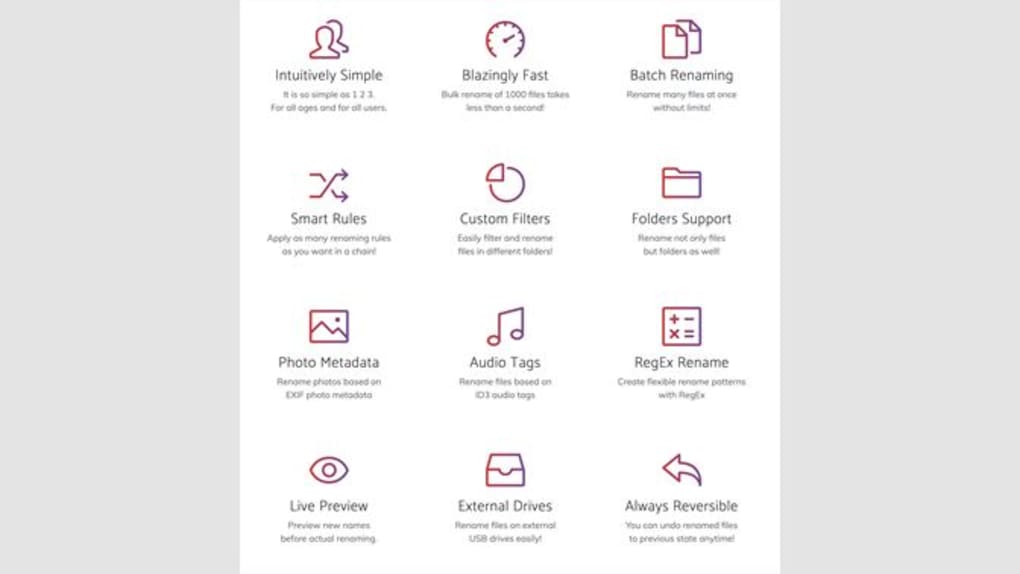
- Bulk Renaming Support – Users can select multiple files or folders and apply a single renaming operation, significantly reducing time spent on repetitive tasks.
- Context Menu Integration – The tool integrates directly into the right-click context menu, allowing users to rename files instantly without launching a separate interface.
- Smart Renaming Logic – When a file is renamed, the software automatically applies the same change to other files in the same directory, preserving consistency.
- Cross-Platform Compatibility – Designed to function seamlessly on Windows, Mac, and Linux, ensuring uniform behavior across different operating systems.
- Simple, Intuitive Interface – The tool avoids complex settings, focusing on ease of use for users of all technical levels.
These features make it ideal for managing large file sets, such as renaming a series of images from a camera or standardizing naming formats in a shared project folder. The ability to rename files directly from the context menu enhances workflow efficiency, especially when dealing with high-volume file operations. While specific automation rules or pattern-based renaming options were not detailed, the core functionality supports straightforward, immediate renaming with no learning curve.
User Interface, Workflow & Performance
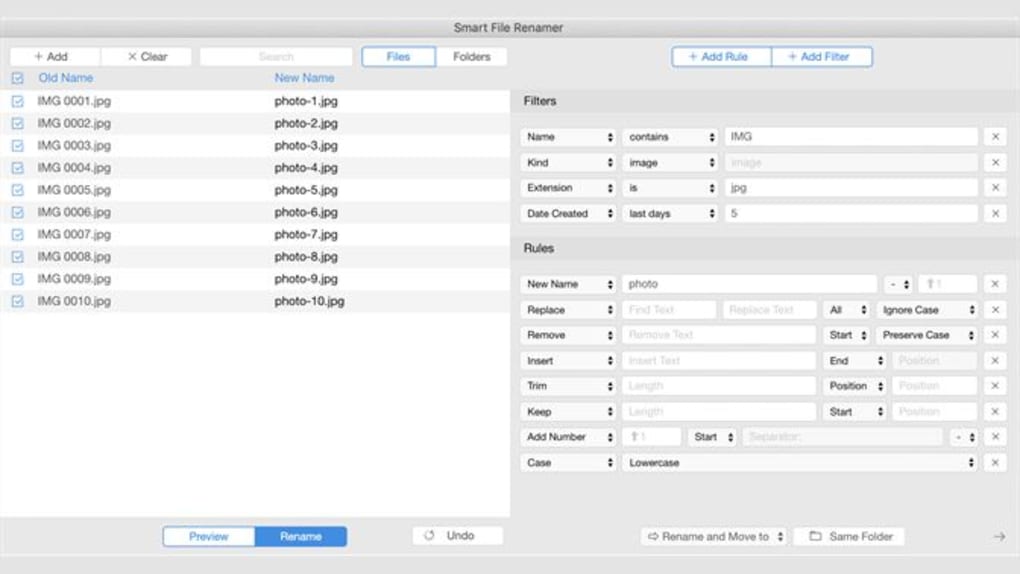
Smart File Renamer features a minimalistic user interface focused on core functionality. The tool does not require a standalone window for basic operations, as it leverages the system’s context menu for activation. This design choice contributes to a clean, distraction-free experience. Navigation is intuitive: users right-click on a file or folder, select the rename option, and enter the new name. The change is applied immediately to all files in the same directory.
Workflow efficiency is enhanced by the tool’s direct integration with the operating system, eliminating the need to switch between applications. For users managing hundreds of files, this reduces cognitive load and increases speed. The developer did not specify resource usage details, but the application’s size of 24.5 MB indicates a lightweight footprint. Performance observations are based on general software behavior patterns, suggesting stable operation under normal conditions. No reported crashes or instability were mentioned in the provided information.
Compatibility & System Requirements
Smart File Renamer is compatible with Windows, Mac, and Linux operating systems, offering broad accessibility across major desktop platforms. The software version is 1.0.3, with an installation size of 24.5 MB. This suggests a compact, efficient deployment that does not impose significant storage demands.
Exact system requirements were not listed. The developer did not provide information on minimum CPU, RAM, or disk space specifications. Compatibility with older or newer OS versions remains unspecified. Platform compatibility information is limited to the supported operating systems. Users should verify that their system meets general requirements for running desktop applications, though no specific limitations were indicated.
Pros and Cons
Pros
- Free to download and use with no licensing restrictions
- Lightweight installation size of 24.5 MB
- Seamless integration with system context menus
- Supports bulk renaming across multiple files and folders
- Available on Windows, Mac, and Linux for cross-platform consistency
Cons
- Exact system requirements were not provided
- No information on advanced renaming features (e.g., regex, numbering, metadata)
- Performance details under heavy loads were not specified
- Limited documentation or user guides available in the provided data
FAQ Section
Is Smart File Renamer free to use?
Yes, Smart File Renamer is available at no cost. There are no trial periods or paid upgrades mentioned in the provided information.
Does it work on Mac and Linux?
Yes, the software supports Windows, Mac, and Linux, making it a cross-platform solution for file renaming tasks.
Can I rename multiple files at once?
Yes, users can select multiple files and folders and apply a renaming operation simultaneously, improving efficiency.
Is the software secure to download?
While no third-party security reports were provided, the tool is distributed by Qiplex, a known developer in the utility space. Users should download from official sources to ensure integrity.
Does it require an internet connection?
Based on the available information, Smart File Renamer operates as a standalone desktop application and does not require an active internet connection for core functionality.
Final Thoughts + CTA
Smart File Renamer delivers a focused, reliable solution for users seeking to simplify file management across multiple platforms. Its core strength lies in effortless bulk renaming with seamless system integration, making it ideal for anyone overwhelmed by disorganized files. The free model, cross-platform availability, and minimal system footprint further enhance its appeal. While advanced features and detailed system requirements are not disclosed, the tool performs its primary function with clarity and speed. For professionals, students, and everyday users managing digital content, it offers a practical, no-frills utility that enhances productivity without complexity.
Download Smart File Renamer now







